
In today’s fast-paced workplace, each of us is like a driver speeding down a digital highway—overwhelmed by information while juggling repetitive tasks. If you’ve ever wished for an assistant that truly understands you and can actually do things, it’s time to meet ChatGPT Atlas.
Atlas isn’t just a browser—it’s a groundbreaking product from OpenAI that deeply integrates ChatGPT into your workflows, freeing you from drudgery and transforming your browser into a supercharged productivity engine.
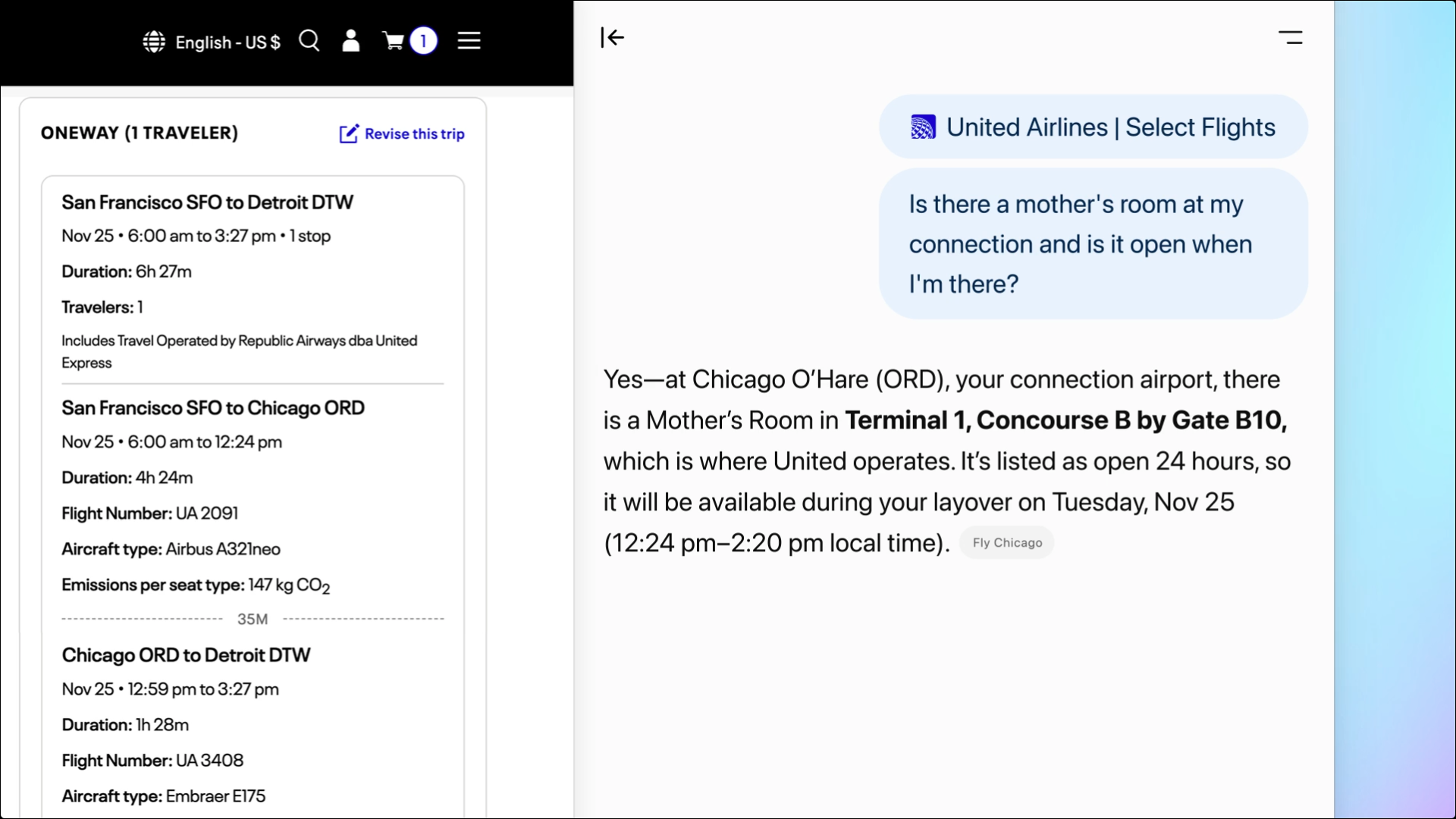
Core Productivity Features of ChatGPT Atlas
- More Than Search: Atlas synthesizes answers from across the web so you don’t need to click through endless links.
- Browser Memory—Your Second Brain: It remembers context from your browsing and gives precise, personalized insights when asked.
- Agent Mode—Let AI Take Action: Atlas can click, fill forms, compare prices, and perform multi-step tasks for you.
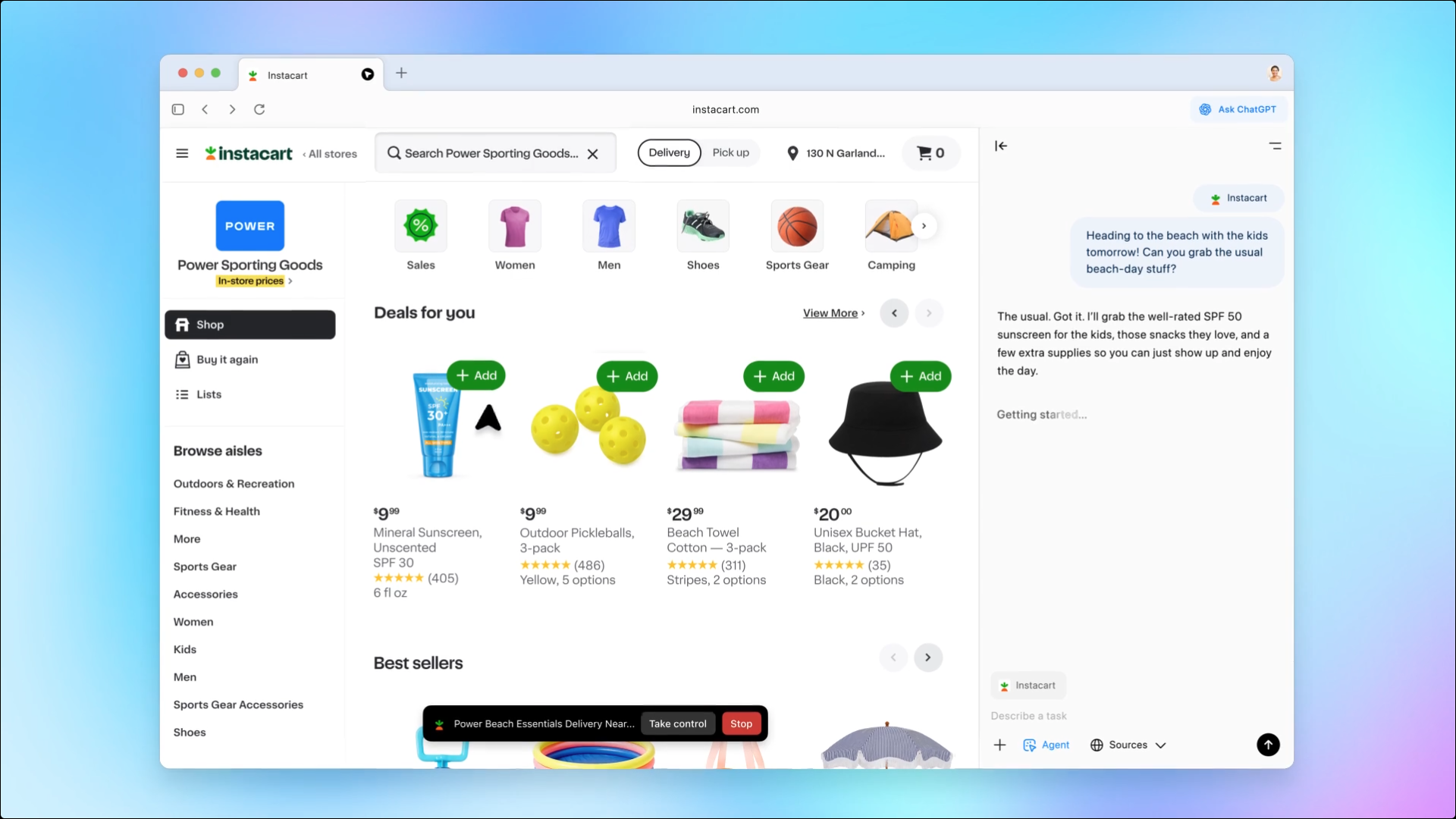
Real-World Scenarios: Atlas in Action
Scenario 1: Market Research & Data Synthesis
The Challenge: Endless reports and competitor pages make research slow and easy to miss key insights.
The Atlas Solution: Use Browser Memory to summarize what you just read; use Agent Mode to collect competitor data automatically.
Scenario 2: Meeting Prep & Document Review
The Challenge: Revisit many documents pre-meeting; organize action items post-meeting.
The Atlas Solution: Atlas recalls your team docs; then extracts action items from meeting notes links.
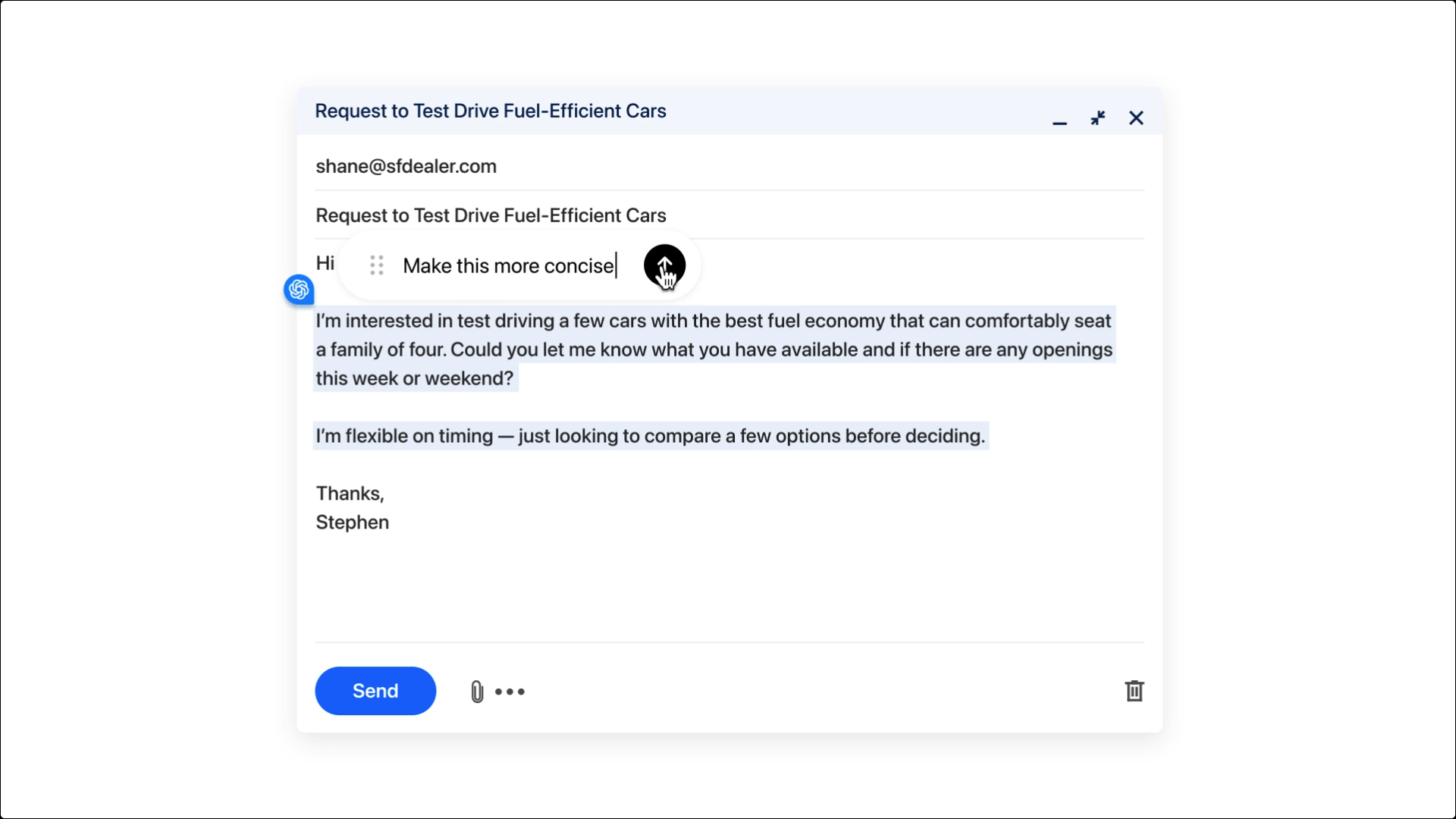
Scenario 3: Communication Assistance
The Challenge: Writing polished emails takes time.
The Atlas Solution: Draft professional replies using context from your recent browsing and internal docs.
Scenario 4: Project Management & Automation
The Challenge: Routine admin work consumes focus time.
The Atlas Solution: Have Atlas create tasks in Asana/Jira/Trello and summarize job listings you reviewed.
Privacy & Control
- Full Control: You decide what Atlas can view or remember.
- Manageable Browser Memory: Review, archive, or delete memories anytime.
- Site-Level Visibility: Toggle page visibility in the address bar.
- Agent Mode Protections: No code execution, downloads, or extensions; sensitive actions require your confirmation.
By deeply integrating AI into the browser, ChatGPT Atlas helps you shed repetitive work and focus your time and creativity on what truly matters.